Your new Spindle Kit is fully programmed for automatic control but also has a “Manual Override” switch which lets you run your spindle in manual mode via the VFD’s keypad controls.
If you’d like to run your spindle in manual mode, flip the “Manual Override” switch up or “1” to enable VFD Keypad controls. Then use the Run/Stop and Potentiometer dial on the front of your VFD to run your motor.
If you’d like to automatically control your spindle via g-code and your Masso controller, perform the following wiring on the Masso G3 to wire in the control cable from the VFD. Note: Tape the Orange wire off as it is not required.
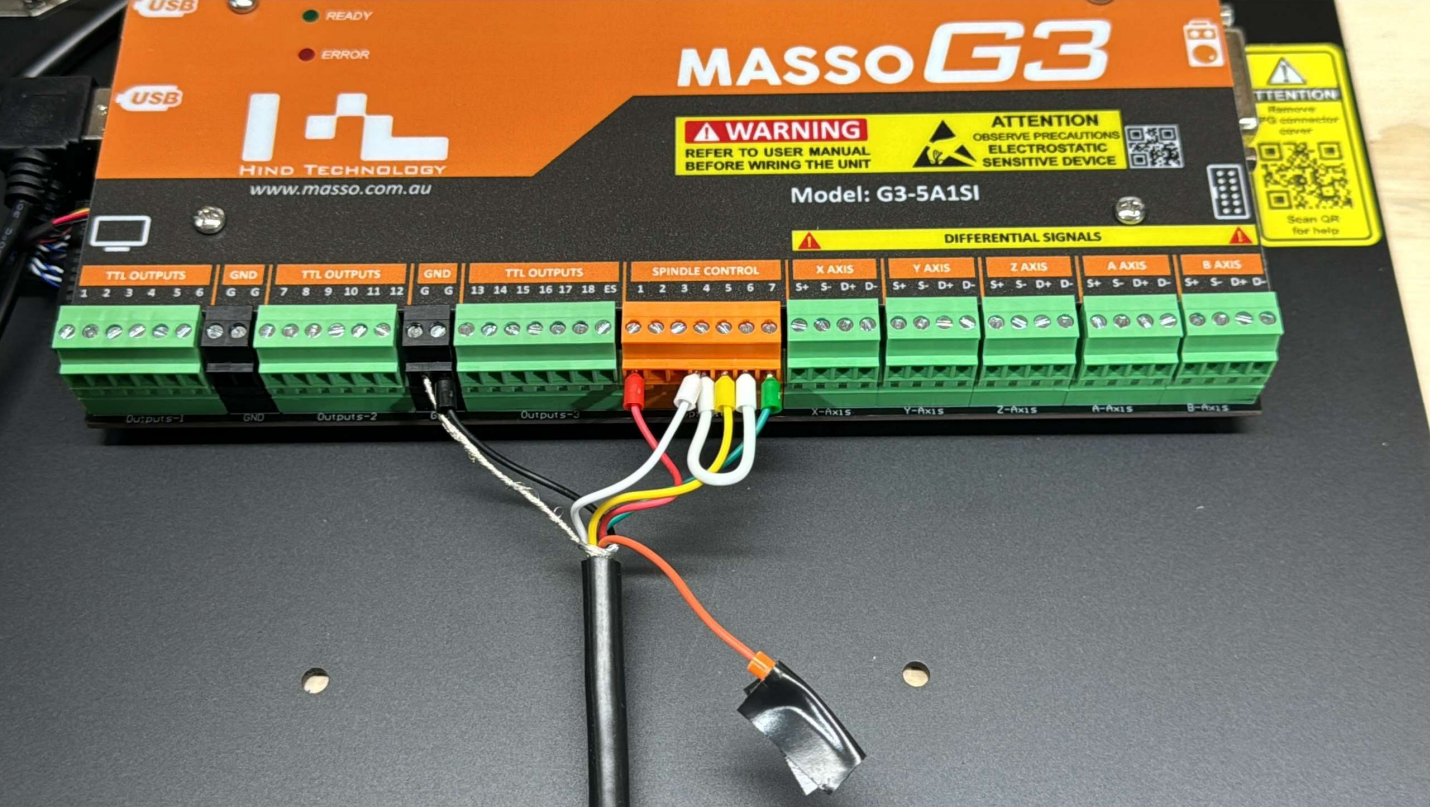
Black => GND
Shield Drain => GND
Red => Pin 1
White => Pin 4 & 6
Yellow => Pin 5
Green => Pin 7
Use a jumper wire to link Pins 4 and 6 together.
The orange wire supplies 10v power and is not required by the Masso G3.
Under the F1 Screen Main Spindle,
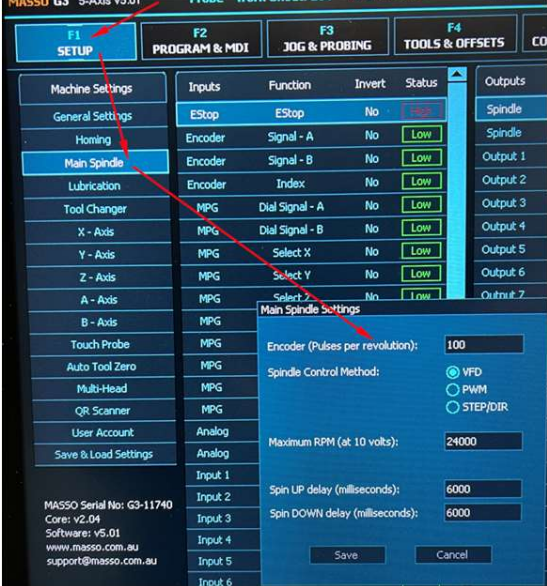
Encoder (Pulses per revolution) = 100
Spindle Control = VFD
Maximum RPM = 24000
Spin UP delay = 6000
Spin DOWN delay = 6000
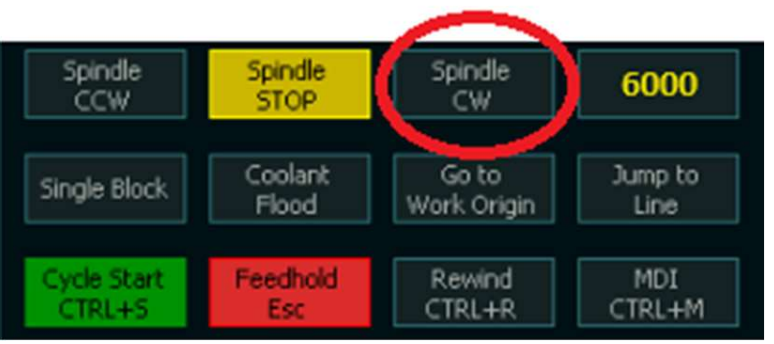
To test for Automatic control put an RPM in the blank box of the F2 Screen and hit Spindle CW/CCW